




Details
FWX EC135 Real Turbine Sound Mod: the sound pack that completely replaces the stock EC135 sounds in Microsoft Flight Simulator 2024
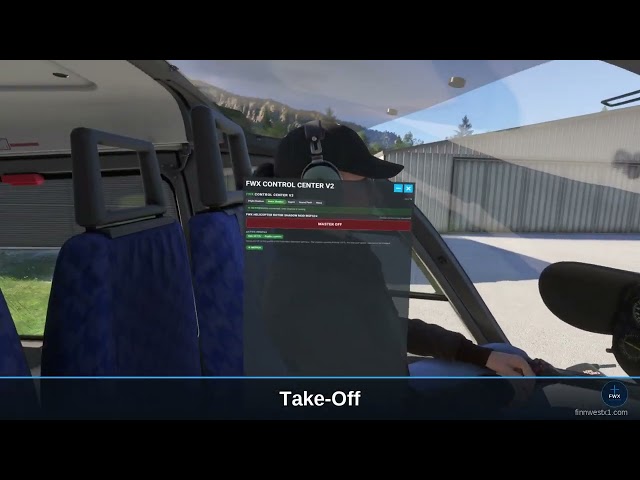
The EC135 finally sounds like a turbine. This mod replaces the aircraft sound completely, inside and out, with recordings of a real EC135.
The stock EC135 sounds are flat and characterless. After the swap you hear two turbines that spool up separately, shut down separately, and let you abort a start.
What is this sound pack? A sound pack that completely replaces the stock EC135 sounds, inside and out, with recordings of a real EC135. It changes nothing about flight behavior and nothing about the visuals: the simulator flight model and the look of the aircraft stay untouched. It affects the EC135 only, every other helicopter stays untouched. Uninstalling restores the stock sounds.
Two turbines that do not run in lockstep
The engines are separate. You notice it immediately, because the two turbines do not run alike.
- Uneven start: the second engine does not spool up like the first
- Uneven shutdown: each turbine runs down on its own
- Single-engine taxi, audible as one turbine running alone
Abort the spool-up, like on the real aircraft
The start sequence can be aborted. You can stop the spool-up at any point, and the sound follows you.
- Seamless from the starter into the running turbine, no gaps, no cuts
- Smooth load changes instead of audible pitch jumps
Power you can hear
Rotor speed stays constant, the aircraft takes care of that itself. So what you hear is not the rotor speed but the work the turbines are doing: when the flight calls for more power, they work harder to hold that speed, and that is exactly what you hear at the very same moment. When less power is needed, they audibly ease off while the rotor speed stays up.
- More power: the turbines audibly dig in, the rotor speed stays the same
- Less power: the sound falls back just as clearly, the rotor speed stays up
- Climb, hover, descent: every load state sounds different, because the turbines have a different amount of work to do
- Turbine sound across every phase of flight: cold start, spool-up, idle, flight, shutdown
From the outside: the Fenestron and two turbines
The Fenestron, the shrouded tail rotor of the EC135, is what makes it recognizable. That exact sound is brought out in the exterior mix, not just carried along.
- The unmistakable tone of the Fenestron on a flyby and in the hover
- The characteristic twin-turbine whine
- Rotor downwash, flyby and hover fully reworked
- Dedicated sound files for every exterior view
VR compatible
The sound works no matter which view you fly in: in the cockpit, in the exterior view and with a VR headset on.
Reviewed by SimFlight, Threshold and MSFS Addons.
What it cannot do
- It affects the EC135 only, every other helicopter stays untouched
- It changes nothing about flight behavior and nothing about the visuals
- It produces no vibration, that is what the FWX Rotor Blade Haptic is for
Works with your other add-ons
- Compatible with ChasePlane and FSRealistic
- No impact on frame rate
- Works alongside the FWX Rotor Blade Haptic without hindering it
Installation and uninstallation
- Click-through installer, pick the folder, done
- You can uninstall in two ways: through our own FWX application or through the Windows program list
- Uninstalling restores the stock sounds
Note: package order in the package library
It can happen that the package order has to be set by hand for the sound to take effect. This refers to the settings in the simulator under the package library. The installer walks you through it with a confirmation dialog. If you set it by hand, do this once:
- Open General Options, Advanced Options, Package Order Tool
- Enable the tool and clear the "Scenery packages only" checkbox
- Search for "135"
- Move the FWX Sound Pack below the Nemeth Design EC135
- Restart the simulator
Updates
Free updates, new sound content at no extra charge.
Also available as a bundle
More information: finnwestx1.com
Tags
Requirements
- Microsoft Flight Simulator 2024 (PC, Steam or MS Store)
- Windows 11
- Nemeth Design EC135 (Local Legend 21, free with MSFS 2024)
- One-time Package Load Order setting, the installer guides you through it
Recommended Products

€ 12.00
$
USD 13.76
All sales based on Euro. Other currencies shown as reference only.£
GBP 10.29
All sales based on Euro. Other currencies shown as reference only.¥
CNY 92.16
All sales based on Euro. Other currencies shown as reference only.
€ 9.00
$
USD 10.32
All sales based on Euro. Other currencies shown as reference only.£
GBP 7.72
All sales based on Euro. Other currencies shown as reference only.¥
CNY 69.12
All sales based on Euro. Other currencies shown as reference only.
€ 6.90
$
USD 7.91
All sales based on Euro. Other currencies shown as reference only.£
GBP 5.92
All sales based on Euro. Other currencies shown as reference only.¥
CNY 52.99
All sales based on Euro. Other currencies shown as reference only.
€ 17.99
$
USD 20.62
All sales based on Euro. Other currencies shown as reference only.£
GBP 15.43
All sales based on Euro. Other currencies shown as reference only.¥
CNY 138.17
All sales based on Euro. Other currencies shown as reference only.
€ 20.83
$
USD 23.88
All sales based on Euro. Other currencies shown as reference only.£
GBP 17.87
All sales based on Euro. Other currencies shown as reference only.¥
CNY 159.98
All sales based on Euro. Other currencies shown as reference only.
€ 12.90
$
USD 14.79
All sales based on Euro. Other currencies shown as reference only.£
GBP 11.07
All sales based on Euro. Other currencies shown as reference only.¥
CNY 99.08
All sales based on Euro. Other currencies shown as reference only.
€ 29.12
$
USD 33.38
All sales based on Euro. Other currencies shown as reference only.£
GBP 24.98
All sales based on Euro. Other currencies shown as reference only.¥
CNY 223.65
All sales based on Euro. Other currencies shown as reference only.
€ 14.99
$
USD 17.18
All sales based on Euro. Other currencies shown as reference only.£
GBP 12.86
All sales based on Euro. Other currencies shown as reference only.¥
CNY 115.13
All sales based on Euro. Other currencies shown as reference only.