




Details
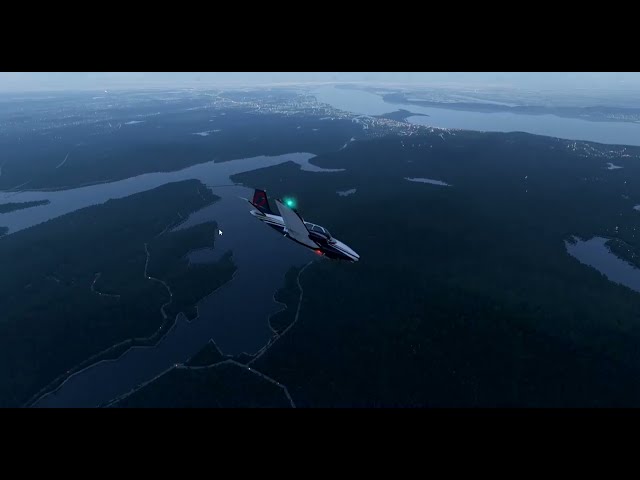
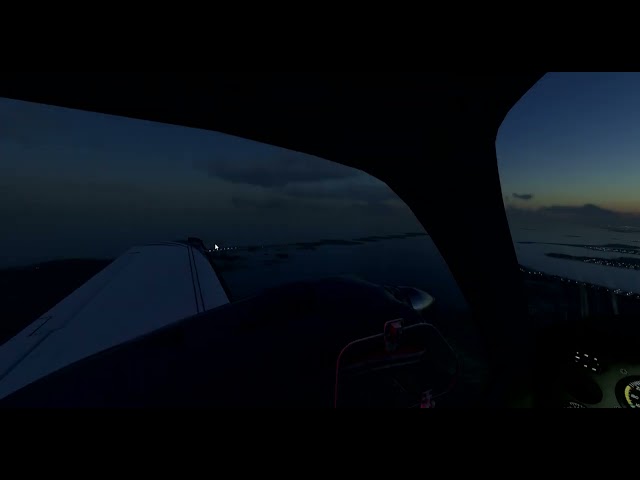
The scenery is not an addition or a modification of existing roads lights; but a complete remake of the roads lights. The scenery use latest high resolution data for best results; GB of data were processed to make this scenery. Default lamp posts have been removed to make this new system completely independent from X-Plane roads. We modified the lights using default X-Plane lights in a modified scenery object; and injected into the sim. Before injecting the modified lights; the data are processed to achieve a convincing and realistic coverage; not only as density; but also color distribution and illumination areas. This features for the first time in X-Plane roads only lighted in urban areas; roads outside areas that are classified as 'extra-urban' are dark. This was possible by processing a large and precise database; we could filter what goes where to achieve the ultimate goal of a realistic X-Plane Roads Lights system. Please note: this system to work switch the whole world X-Plane roads lamp posts lights Off. This is Pack 1 - North America. This scenery will be released on a continental blocks at each release. The scenery can be used with any other scenery; either a 3D objects scenery such as landmarks or cities; airports; photorealistic or any Vfr kind of scenery. It does not use any exclusion or any invasive scenery exclusion or alteration that might interfere with other addons; frames rates friendly. If you have a even basic knowledge of X-Plane scenery design the scenery can also be customized to your liking; light color can be changed to your own taste; by loading dsf files into World Editor lights can be added - removed - moved as you pleased. The scenery responds to X-Plane objects density settings; more objects equal to more lights; less objects equal to less lights; work with any lights mod you might have installed that modify default lights. Lights system work also in X-Plane 11.
Tags
Requirements
X-Plane 12 or 11
CPU: Intel Core i7 6600K at 3.5 ghz or faster;
RAM: 16 GB;
VIDEO CARD: 6 GB VRAM;
500 MB HD Space
Recommended Products

€ 25.62
$
USD 29.37
All sales based on Euro. Other currencies shown as reference only.£
GBP 21.98
All sales based on Euro. Other currencies shown as reference only.¥
CNY 196.77
All sales based on Euro. Other currencies shown as reference only.
€ 13.90
$
USD 15.93
All sales based on Euro. Other currencies shown as reference only.£
GBP 11.92
All sales based on Euro. Other currencies shown as reference only.¥
CNY 106.76
All sales based on Euro. Other currencies shown as reference only.
€ 5.00
$
USD 5.73
All sales based on Euro. Other currencies shown as reference only.£
GBP 4.29
All sales based on Euro. Other currencies shown as reference only.¥
CNY 38.40
All sales based on Euro. Other currencies shown as reference only.
€ 15.99
$
USD 18.33
All sales based on Euro. Other currencies shown as reference only.£
GBP 13.72
All sales based on Euro. Other currencies shown as reference only.¥
CNY 122.81
All sales based on Euro. Other currencies shown as reference only.
€ 16.99
$
USD 19.48
All sales based on Euro. Other currencies shown as reference only.£
GBP 14.57
All sales based on Euro. Other currencies shown as reference only.¥
CNY 130.49
All sales based on Euro. Other currencies shown as reference only.
€ 14.99
$
USD 17.18
All sales based on Euro. Other currencies shown as reference only.£
GBP 12.86
All sales based on Euro. Other currencies shown as reference only.¥
CNY 115.13
All sales based on Euro. Other currencies shown as reference only.
€ 13.90
$
USD 15.93
All sales based on Euro. Other currencies shown as reference only.£
GBP 11.92
All sales based on Euro. Other currencies shown as reference only.¥
CNY 106.76
All sales based on Euro. Other currencies shown as reference only.
€ 24.92
$
USD 28.57
All sales based on Euro. Other currencies shown as reference only.£
GBP 21.38
All sales based on Euro. Other currencies shown as reference only.¥
CNY 191.39
All sales based on Euro. Other currencies shown as reference only.