




Details
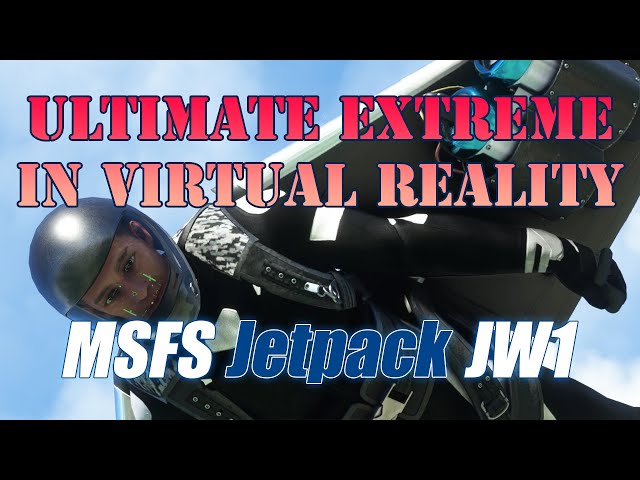
Have you ever dreamed about flying like a bird, outside of a metal can with a windshield? Now you have a chance to do it in Microsoft Flight Simulator - take on your suit and prepare for a mind blowing experience!
You can hover like a helicopter, or escort an airliner like a jet fighter. Participate in competitions or fly above cities in VR mount raising hands to control the flight like in RL.
BASIC CONTROLS
Flaps handle is flight mode switch:
- Flap #1 Cruise flight - native flight model only active
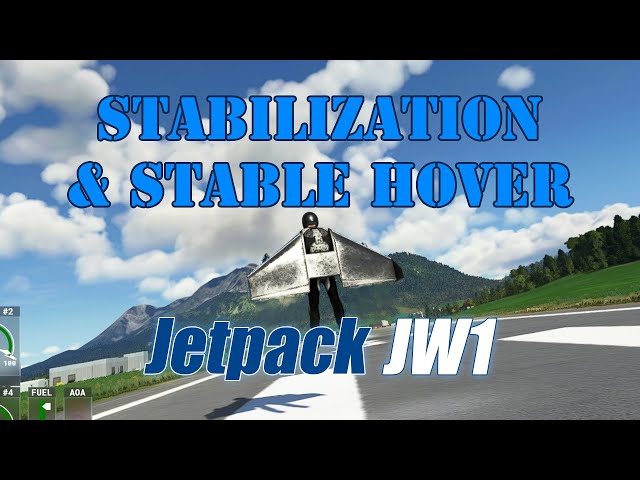
- Flap #2 Stabilization - available at the speed less than 100kn, automatics will try to hold you in vertical position, manual control effectiveness also increased
- Flap #3 Hovering - automatics will try to hold you 10 meters above the surface, set throttle to 0% or 100% to avoid controls conflict
- Flap #4 Landing - when you hover above ground, enable to land smoothly
- Flap #5 Parachute - ensure you have at least 500ft altitude above ground. To toggle chute quickly, you can use Gears handle [G]
Anti Ice [H] - toggle first person view helmet visibility
Pitot Heater [Shift+H] - toggle HUD/HMD screen visibility
Spoilers handle - helmet display vertical position adjustment
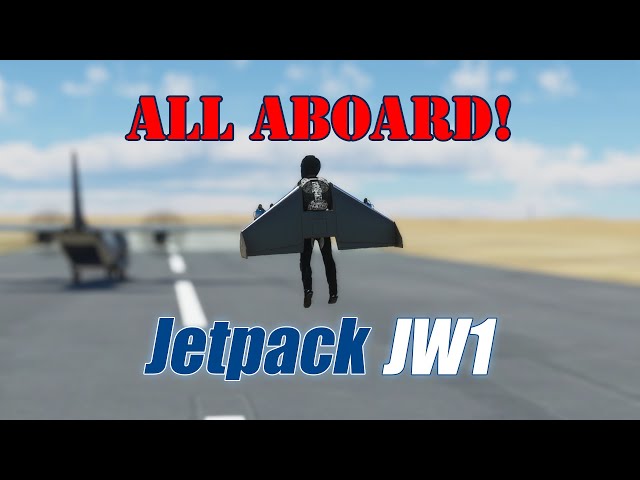
Navigation lights switch [Alt+J] - aboard attachment toggle
All listed settings can be switch by clickable Control Panel.
Int > End fixed camera (A to toggle)
HOW REAL IS IT?
We are not trying to build a copy of any real aircraft. However, we are trying to make it fly at least somehow realistically for given specifications, in the existing limits of MSFS and our knowledge. Please consider JW1 as an evaluation of simulator capabilities rather than an attempt to create a flight trainer. Any experience you will get with this add-on can't be used in real life, both for flying or aircraft building.
CURRENT DEVELOPMENT STAGE
Project finished! Get latest freeware or payware version and enjoy the freedom. You can always leave feedback or report issues in comments on website or in our Discord. Some technical limitations exists that we can't affect anyhow, but they will be solved by MSFS developers with time.
SPECIFICATIONS
Aircraft Type: wing shaped jetpack
Maximum takeoff weight: 350lbs
Engines: x4 jet 100lbs thrust each
Autonomy: 15 minutes
Max range: 90km
Take off: vertical hovering
Landing: parachute
VR: supported
Indication: Modern HMD
Visual effects: downwash, exhaust smoke, ground contact dust, water contact
Startup procedures: simplified (master starter switch)
Liveries: 4
CREDITS
270inc textures
ANRI flight model, competitions
Got Gravel flight model
1L2P instruments
brm352 instruments
maxx2504/Micha flight model
HOW TO INSTALL?
Unpack folder touchingcloud-aircraft-jw1 into Community directory of MSFS, launch simulator. You can use an add-on installer if you have any.
To install alternative flight model, after main files already unpacked (previous step), copy content of maxx2504-flight-model into community folder. Alternative FM is more stable and predictable – jetpack will fly like a small plane rather than body attached to the wing. If you feel default one too hard to control – try new one. If you are happy with “challenging” style of default FM – you better stay on it.
HOW TO UNINSTALL?
Delete folder touchingcloud-aircraft-jw1 from Community directory of MSFS, restart simulator.
IS VR/TrackIR SUPPORTED?
MSFS SDK has a limitation which makes impossible to track VR view, but workaround exist which makes possible to predict view direction. You need to center camera before the flight (Space key bu default).
To adjust tracking sensitivity, use wheels on Control Panel - hold controller trigger on one of the wheels, move head away from the center, move controller to center display, release trigger.
You can also try to use motion controllers during flight, moving on the ground or landing with parachute.
Near pilot hands you can find controls spheres - grab left one first (move controller inside of it and hold trigger), then right one.
Readme PDF file inside of install archive. Helmet display symbology not explained in manual yet as it under development.
To apply hot fixes (if you have not made manual changes in config files), just unpack archive content into Community over existing folder. Before minor (like 0.9.0) or major (like 1.0) updates recommended to remove old version completely.
标签
注意事项
该产品采用了我们的simInstaller技术,仅在通过我们的APP购买后即可使用。
使用需求
Microsoft Flight Simulator (2020), latest public release
推荐商品

€ 15.99
$
USD 18.33
所有商品的售价基准为欧元,其他货币价格仅供参考!£
GBP 13.72
所有商品的售价基准为欧元,其他货币价格仅供参考!¥
CNY 122.81
所有商品的售价基准为欧元,其他货币价格仅供参考!
€ 21.99
$
USD 25.21
所有商品的售价基准为欧元,其他货币价格仅供参考!£
GBP 18.86
所有商品的售价基准为欧元,其他货币价格仅供参考!¥
CNY 168.89
所有商品的售价基准为欧元,其他货币价格仅供参考!
€ 25.00
$
USD 28.66
所有商品的售价基准为欧元,其他货币价格仅供参考!£
GBP 21.45
所有商品的售价基准为欧元,其他货币价格仅供参考!¥
CNY 192.01
所有商品的售价基准为欧元,其他货币价格仅供参考!
€ 14.99
$
USD 17.18
所有商品的售价基准为欧元,其他货币价格仅供参考!£
GBP 12.86
所有商品的售价基准为欧元,其他货币价格仅供参考!¥
CNY 115.13
所有商品的售价基准为欧元,其他货币价格仅供参考!
€ 12.00
$
USD 13.76
所有商品的售价基准为欧元,其他货币价格仅供参考!£
GBP 10.29
所有商品的售价基准为欧元,其他货币价格仅供参考!¥
CNY 92.16
所有商品的售价基准为欧元,其他货币价格仅供参考!
€ 12.90
$
USD 14.79
所有商品的售价基准为欧元,其他货币价格仅供参考!£
GBP 11.07
所有商品的售价基准为欧元,其他货币价格仅供参考!¥
CNY 99.08
所有商品的售价基准为欧元,其他货币价格仅供参考!
€ 6.90
$
USD 7.91
所有商品的售价基准为欧元,其他货币价格仅供参考!£
GBP 5.92
所有商品的售价基准为欧元,其他货币价格仅供参考!¥
CNY 52.99
所有商品的售价基准为欧元,其他货币价格仅供参考!
€ 6.00
$
USD 6.88
所有商品的售价基准为欧元,其他货币价格仅供参考!£
GBP 5.15
所有商品的售价基准为欧元,其他货币价格仅供参考!¥
CNY 46.08
所有商品的售价基准为欧元,其他货币价格仅供参考!